
Agal One for Windows
Download Agal One for Windows
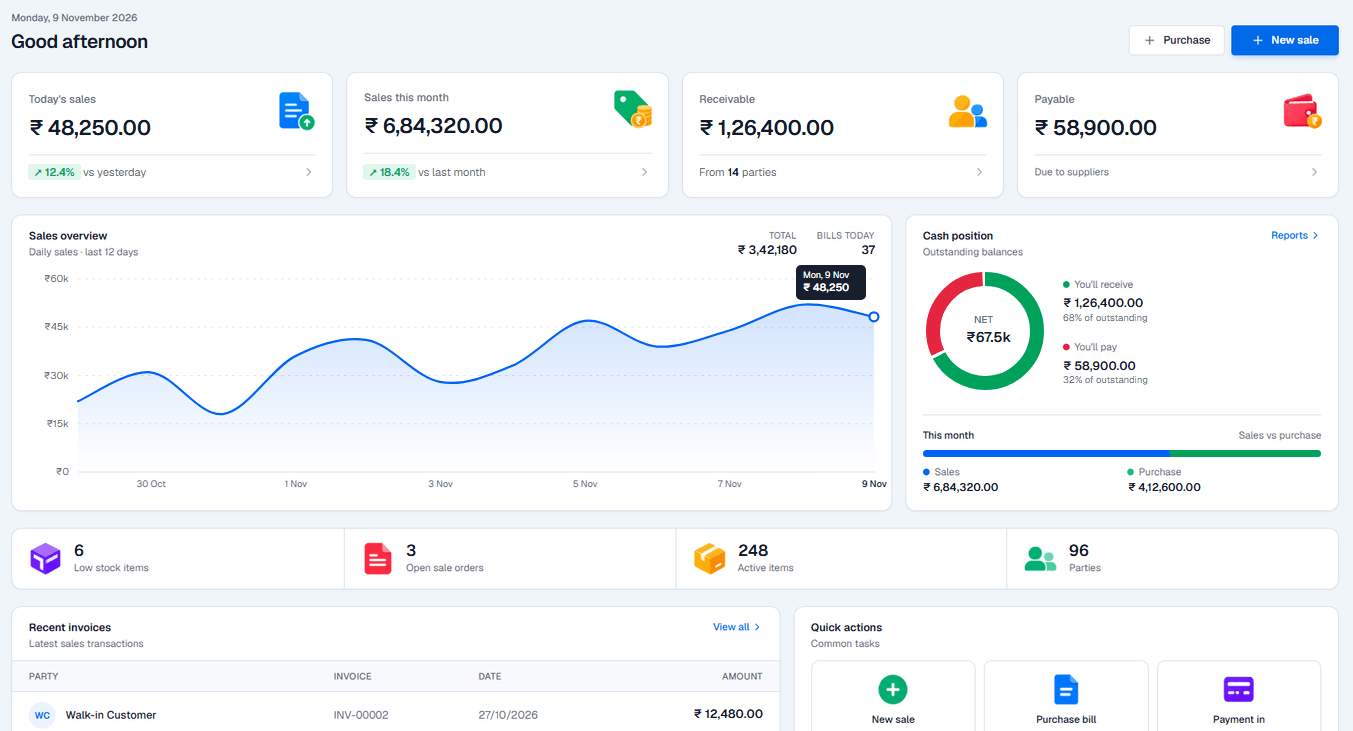
GST billing, stock, accounts and payroll in one program. It works offline first and syncs online to your other PCs. Every install starts with a 7-day free trial, with all features on and no card.
On a phone? This is a Windows installer, so open this page on your PC.
- Version
- 0.2.5
- Size
- 10.3 MB
- Released
- 2 November 2026
- Works on
- Windows 10 / 11, 64-bit
- Windows: Available now
- Mac, Linux and Android: Coming soon
Install it in four steps
- 1
Download the installer
One .exe file. Save it anywhere on the PC.
- 2
Run it
Double-click the file and follow the setup. It takes about two minutes.
- 3
Set up your firm
Enter firm name, GSTIN and address. Add items by hand, from Excel, or import Tally XML.
- 4
Print your first bill
Pick your printer in settings and print. Call us if the receipt does not look right.
If Windows shows a blue SmartScreen box, choose More info, then Run anyway. It is common for software from a newer publisher.
What your PC needs
A basic Windows PC at the counter is enough.
- Operating system
- Windows 10 or Windows 11, 64-bit
- Disk space
- About 200 MB plus your data
- Memory
- 4 GB RAM is enough; 8 GB is comfortable
- Printers
- Thermal (58 mm / 80 mm), A4, barcode label
- Scanners
- Any USB barcode scanner
- Backup
- Local folder and Google Drive folder
New in version 0.2.5
- Import from Tally: XML files up to 50 MB can now be imported (was 5 MB), and large files are read faster without freezing the app.
What you get on your PC
A normal Windows program that keeps working when the net does not.
Offline first, syncs online
Your database is on your own hard disk, so billing never waits for the net. When you are online, changes sync to your other PCs.
Light on the machine
Runs on a basic Windows PC with 4 GB RAM. No server to set up and no browser tab to keep open.
Updates itself
The app finds new versions on its own and checks each update's signature before installing it.


Want us to install it with you?
We connect to your PC and finish the setup on a remote session, in your language.
Download and install questions
Is the download free?
Yes. One installer for everyone. It starts a 7-day trial with every feature on and no card. Pro and Enterprise are then unlocked with a licence key, with your data untouched.
What happens after the 7 days?
The app becomes read-only until you enter a licence key. Your data stays on your PC, and buying a plan turns billing back on with nothing lost.
Why does Windows show a warning when I run it?
Microsoft SmartScreen often shows a blue box for software from a newer publisher. Choose More info, then Run anyway. If you would rather not do this alone, call us and we will install it with you on a remote session.
Which Windows versions work?
Windows 10 and Windows 11, 64-bit. Older versions are not supported. Mac, Linux and Android versions are coming soon; call us if you want to be told when they ship.
Do I need internet to install?
Only to download the file. After that the app works offline. Internet is used for WhatsApp, e-invoice, e-way bill, backup, updates and syncing to your other PCs.
How do updates work?
The app checks for updates on its own and installs them quietly. You never have to download a new installer.
Is my data safe during an update?
Yes. Updates do not touch your database. A backup is still a good habit, and auto backup is in the app.
I am stuck. Who do I call?
Call or WhatsApp +91 97886 35392, Monday to Saturday, 9:30 am to 7 pm. We connect to your PC remotely and finish the setup with you.
Thinking past the 7 days?
Pro and Enterprise are yearly plans, quoted for your PCs, users and firms.